Bark vs Umobix
Bark and Umobix both aim to protect families, but they take different routes. Bark streaks ahead with multi-device, AI-powered alerts and open dialogue. Umobix shines in real-time visibility, location history, and broader app coverage.
Comprehensive AI Safety For Modern Families
We find Bark offers an essential, modern solution for digital parenting, leveraging advanced AI to monitor threats without excessive surveillance. The platform provides comprehensive coverage across various devices and social media platforms, including tamper-proof device options. Overall, Bark delivers robust protection and specific, actionable guidance for handling complex online safety issues.
Pros
- AI monitors 30+ social media platforms for severe issues like self-harm and bullying.
- System focuses only on potential threats, preserving a child's general privacy.
- Comprehensive controls cover screen time management, app blocking, and GPS location tracking.
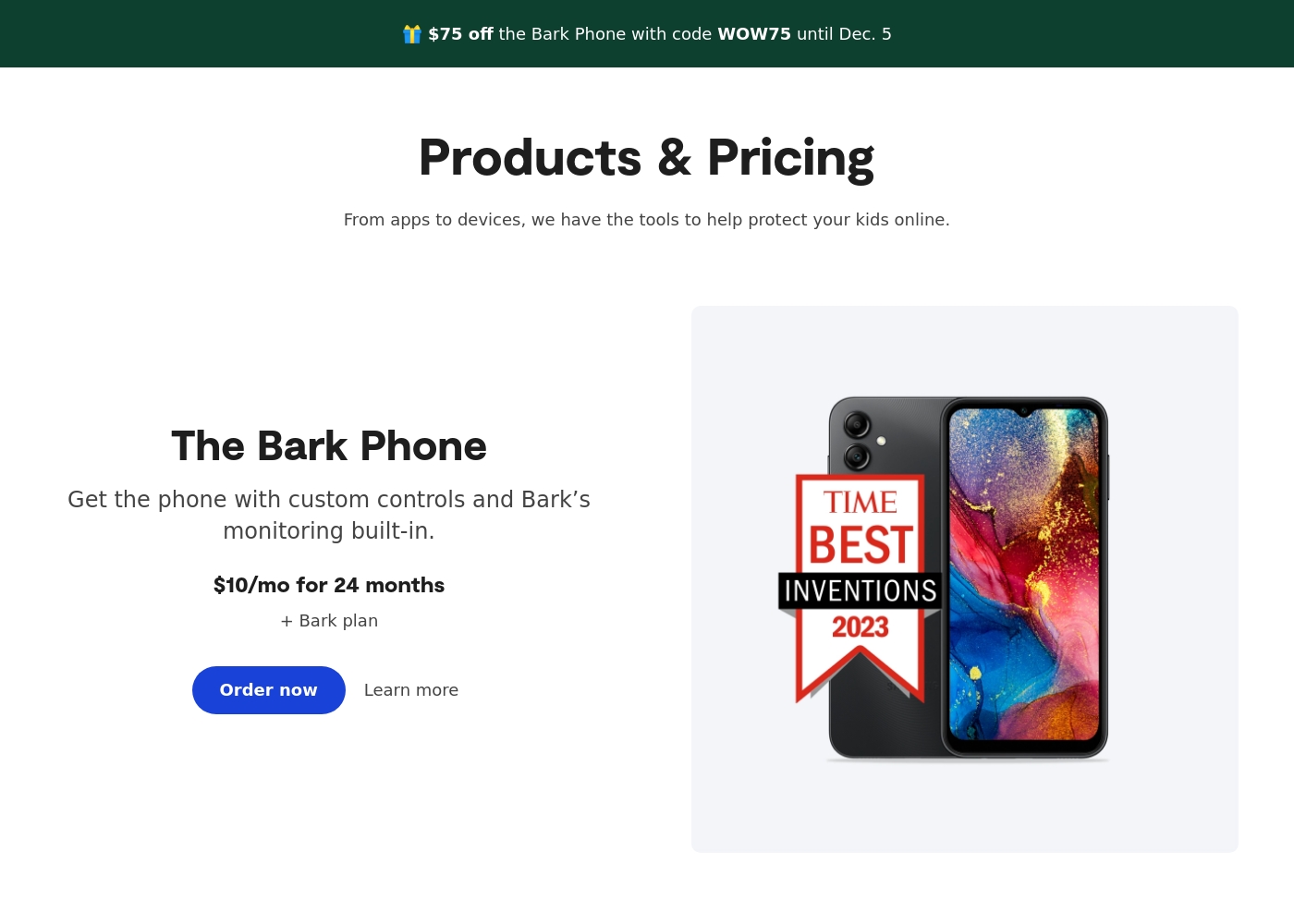
- Specialized options like the Bark Phone offer tamper-proof, built-in controls for a first device.
Cons
- Users have noted some complexity or inconsistency with the mobile app's user interface.
- The varied product line (App, Phone, Watch, Home) creates a complex overall pricing structure.
- The mandatory free trial registration requires a credit card and auto-enrolls into a paid subscription.
Powerful monitoring, excellent user support.
We find that uMobix offers powerful and highly detailed monitoring capabilities, which users praise for providing considerable oversight, particularly regarding location tracking and social media activity. Overall, while the core functionality and supporting team are excellent, prospective users must proceed with caution regarding the reported persistent issues with billing transparency and unexpected charges.
Pros
- Comprehensive tracking system supports 41 popular apps, calls, and messages.
- Highly responsive and helpful customer support team assists with difficult installations.
- Accurate and reliable GPS location tracking and keylogging functions.
- Provides highly detailed tracking data often missing in competitor applications.
Cons
- Frequent, serious complaints regarding unauthorized charges and unexpected billing practices.
- Users often report difficulty canceling trials or subscriptions and securing refunds.
- Real-time data and updates can sync slowly, especially during the initial setup phase.
- Some reports indicate the application can negatively impact the target device’s battery life or internet efficiency.
AboutBark
Bark offers a comprehensive suite of digital safety tools designed for modern families. The system provides monitoring and parental controls across various device types, including phones, tablets, and home internet networks. Whether you need an optimized safety phone or just the software for existing devices, Bark offers solutions tailored to your needs. Their robust systems actively scan texts, emails, web browsers, and over 30 social media apps for concerning content. They have already covered 7.4 million children, indicating a strong commitment to digital protection. ✅
AboutUmobix
uMobix is a powerful cell phone tracker designed for modern parents. It lets you manage and monitor everything happening on your child's smartphone or tablet. This comprehensive tool supports a wide range of devices, including all iPhones, iPads, and Android OS 4+. You can easily check if your specific model is compatible on the website. uMobix provides real-time access to crucial digital activities and communications. 💡
Highlights
Feature Comparison
Features Overview
We highlight the main differences and pick a winner for each feature.
Real-time Monitoring
Both Bark and Umobix offer visibility, but they approach timing differently.
Bark provides AI-powered safety alerts across texts and apps in real time.Umobix promises real-time updates for calls, messages, and location across devices.Trade-off: Bark focuses on actionable alerts; Umobix emphasizes raw, live data streams.Real-world impact: parents can respond quickly to potential issues.
Location & GPS
Location features matter; Bark and Umobix both track where kids go.
Bark offers live GPS with location alerts and check-ins.Umobix delivers real-time GPS with visited places history.Key difference: Bark ties location to its devices; Umobix emphasizes history context.Use-case: tracking trips or after-school activities becomes straightforward.
App Coverage & Blocking
Blocking and filtering strengths differ between Bark and Umobix.
Bark provides content filtering and app/website approvals across devices.Umobix blocks apps, websites, and even Wi-Fi access when needed.Trade-off: Bark leans toward family-safe content; Umobix offers deeper remote control.Use-case: if you need aggressive device-level lockdowns, Umobix shines.
Alerts & Guidance
Alerts are more than signals; Bark offers guidance with every alert.
Bark delivers AI-powered alerts with personalized recommendations for action.Umobix provides data-rich updates, but explicit guidance is less pronounced.Trade-off: Bark helps conversations; Umobix helps investigators with data depth.Real-world impact: families can act with confidence and context.
Remote Control
Control tools differ in breadth and immediacy.
Bark maintains tamper-proof protections and remote alarms on Bark Phone.Umobix enables blocking apps, restricting calls, and blocking Wi‑Fi remotely.Difference: Umobix offers broader remote controls across devices.Use-case: quickly enforce safety boundaries during family time.
Data Security
Data safety is non-negotiable for families.
Bark uses SSL encryption and encrypted storage across its data.Umobix data security is not explicitly described in the provided data.Trade-off: Bark offers clear encryption terms; Umobix requires policy review.Impact: choose Bark if encryption transparency matters most.
Setup & Migration
Getting started should be quick and painless.
Bark has straightforward setup across Bark Phone, Watch, App, and Home.Umobix provides migration details and one-click installation for faster start.Difference: Umobix often emphasizes smoother device migration.Impact: If you’re upgrading devices, Umobix may reduce friction.
Cross-Platform Coverage
Both platforms cover major devices, with different angles.
Bark covers Bark Phone, Bark Watch, Bark App, and Bark Home.Umobix runs on Android and iOS with broad device support.Trade-off: Bark is multi-device by design; Umobix centers on OS-wide coverage.Takeaway: pick Bark for family-wide cohesion; pick Umobix for broad OS reach.
Language Availability
Language support can influence adoption.
Bark supports English, Spanish, and Afrikaans; Bark Phone is US-only; Bark App serves US/SA/AU.Umobix language details aren’t explicitly stated in the provided data.Trade-off: Bark provides explicit language scope; Umobix requires support confirmation.Tip: verify language needs with support before buying.
Bark costs between $49 and $99 per year, offering two main app subscription plans: Bark Jr at $49/year and Bark Premium at $99/year. Bark also offers devices like the Bark Watch and Bark Phone in device installment plans.
You can protect your family with Bark's powerful monitoring and parental controls through several options tailored to your needs. Note that the prices listed below for the App plans reflect the software subscription cost only.
Bark Jr
Price: $5/month or $49/year Websites Supported: Unlimited devices & accounts Best For: Families focused on basic control and location tracking Refund Policy: Not explicitly stated Other Features:
- Gain control over screen time
- Block unwanted websites and apps
- Filter inappropriate content
- Track your child's whereabouts with live GPS
- Gain control over screen time
- Block unwanted websites and apps
- Filter inappropriate content
- Track your child's whereabouts with live GPS, location alerts, and check-in features
- Covers every child and device in the family
- Monitor and receive alerts for social media, phones, tablets, and computers
- Manage screen time
- Block specific websites and apps
- Track location
- Alerts for potential dangers (Parent’s top choice for comprehensive coverage)
Umobix costs between Not explicitly stated and Not explicitly stated per Not explicitly stated with Not explicitly stated plans: Not explicitly stated.
While the exact prices aren't currently displayed, Umobix is designed to be a comprehensive mobile monitoring solution featuring cross-platform compatibility. uMobix works seamlessly on all Android devices running OS 4+ and all iPhones and iPads. This broad compatibility ensures that most modern parental devices are supported immediately.
Comprehensive Monitoring Package (Details Not Stated)
Price: Not explicitly stated Websites Supported: Not explicitly stated Best For: Parents or guardians seeking absolute, real-time activity monitoring across a child's mobile device. Refund Policy: Not explicitly stated Other Features:
- Access to all incoming and outgoing calls, messages, and deleted content.
- Keylogger functionality capturing keystrokes and passwords.
- Real-time and historic GPS location tracking features.
- Total monitoring capability for 41 popular apps and social media platforms.
- Remote control settings (e.g., blocking apps, Wi-Fi, or the device).
Pricing Notes
- Bark offers a broad pricing spectrum with multiple plans and a 7-day free trial.
- Umobix pricing is less clearly defined in the provided data; per-device considerations may apply.
- Bark pricing may involve higher tiers; evaluate value against device count and needs.
- Migration costs or device upgrades with Umobix should be clarified with support.
Pricing Head-to-Head
User Reviews
Bark receives generally positive feedback, especially concerning its effectiveness in digital safety. Users frequently praise the AI monitoring system, noting that it provides helpful alerts only when concerning content is detected.
This strikes a crucial balance between essential protection and maintaining a child's privacy. Many families feel safer using the service, often highlighting the reliability of location tracking and comprehensive screen time scheduling features.
The Bark Phone is excellent security. It’s better than the parental controls on a standard iPhone. Bark has truly saved my teenager’s life three or four times by alerting us to severe dangers. You get to monitor everything that matters, which provides essential peace of mind.
uMobix has a Trustpilot rating of 3.5/5, reflecting a balanced mix of strong praise and serious complaints from over 500 users. Reviewers frequently emphasize the app’s comprehensive monitoring capabilities, noting its reliability for accurate location tracking, accessing messages, and social media oversight. Many users say it provides essential peace of mind. Customer support receives consistently high marks, described as prompt, patient, and knowledgeable, with agents like Nicky Brown and Julia frequently mentioned for their helpfulness during installation and troubleshooting. 👍
However, the platform faces recurring issues related to billing and transparency, which impact overall user satisfaction. We noted significant complaints alleging unauthorized charges following low-cost trials, difficulty canceling subscriptions, and refusal to process refunds. While the core features are robust, some users report slow syncing or delayed real-time updates, particularly right after installation. Successful implementation depends heavily on careful setup and reliance on the praised technical support staff, but prospective customers must be wary of the potential financial friction.
This helped me gain clarity in my relationship. Info came in slow at first but after like a day it started syncing fine. The support team was super helpful when I had issues.
Our Verdict
Bottom line: Bark wins for most families, but Umobix is a strong second depending on priorities. Bark’s multi-device, AI-driven alerts and practical guidance help open conversations and simplify safety across devices. Umobix shines with real-time visibility, extensive app coverage, and robust remote controls that give you hands-on safety power. The deciding factor often comes down to your setup: if you want cohesive family protection across devices, Bark is the pick. If real-time visibility and tight control over many apps matter more, Umobix wins. For many households, a tailored mix—Bark for day-to-day safety, Umobix for specific device-level needs—might be the sweet spot.
Frequently Asked Questions
Which is better for families with multiple devices: Bark or Umobix?
Bark is built for multi-device family use with integrated alerts and channels. Umobix offers strong per-device visibility and controls. If you have 4+ devices, Bark often provides a cleaner, unified experience.
Does Bark have keylogger or similar features like Umobix?
Bark does not list a keylogger feature. Umobix explicitly includes a keylogger. If you need keystroke monitoring, Umobix is the better fit.
Is Umobix worth the extra cost over Bark?
Bark starts at $1/month with a broad plan range and a 7-day free trial. Umobix pricing isn’t clearly stated and appears per-device, so compare total device costs to Bark’s plans.
Can I migrate from Bark to Umobix easily?
Umobix provides migration details and setup support to switch devices. Bark offers straightforward setup but migration specifics aren’t highlighted.
Does Bark have screen time scheduling like Umobix?
Yes. Bark includes screen time controls and scheduling across its devices, aligning with many family needs.
How easy is it to set up Bark across devices?
Bark supports setup across Bark Phone, Bark Watch, Bark App, and Bark Home. Umobix is noted for quick, one-click installations.
Ready to Choose?
Both tools have their strengths. Choose based on your specific needs.