CopyTrans vs Shade
CopyTrans is for personal iOS data control. Shade is for team media workflows. They solve totally different problems.
Seamless iOS data control for Windows.
We recognize CopyTrans as a robust and highly dependable solution for PC users managing iOS data, effectively bridging limitations imposed by native syncing tools. Overall, this established software earns exceptionally high reliability scores and offers outstanding value through its lifetime pricing model.
Pros
- Functions as an efficient, reliable alternative to iTunes.
- Offers exceptional value with affordable, one-time payment pricing (especially the 7 Pack Bundle).
- Reliably transfers music and media, even from vintage iPods.
- Includes seamless HEIC photo conversion and powerful photo organization.
Cons
- The software is primarily a transfer and backup tool, not a full synchronization program.
- Some applications have conversion limits (e.g., 100 photos at a time for HEIC conversion).
- Pricing for the Business License requires requesting a quote rather than being listed transparently.
Smart search, but pricing is opaque.
We find Shade offers a compelling centralized hub for media teams, with standout AI search and intelligent file streaming. Overall, it's a strong workflow tool, but the lack of public pricing for team plans is a significant drawback for prospective buyers.
Pros
- All-in-one platform for storage, review, and approval
- Intelligent file streaming for fast access to large files
- Powerful AI search and automated metadata
- Secure archiving for long-term project storage
Cons
- Team and enterprise pricing is not publicly disclosed
- Requires a sales demo for detailed quotes and scalability
- Limited external review data for deep validation
AboutCopyTrans
CopyTrans offers several powerful programs designed to put you back in control of your iOS data. It serves as a comprehensive free iTunes alternative and a less complicated way to handle transfers than using iCloud for Windows. This suite is highly rated (4.5/5) and has been successfully trusted by over 250,000 users. 💡
This software is perfect for PC users who own an iPhone, iPad, or iPod and want reliable, plug-and-play ways to back up personal data, organize media, and transfer files effortlessly.
AboutShade
💡 Shade is an all-in-one platform for media storage and management. It's designed for creative and media teams who handle large files daily. It combines intelligent file streaming, review tools, and smart search in a single place.
Highlights
Feature Comparison
Features Overview
We highlight the main differences and pick a winner for each feature.
Core Purpose
CopyTrans manages personal iOS data on a PC. Shade is a cloud hub for team media workflows.
CopyTrans is a desktop suite for backing up and transferring your iPhone photos, music, and contacts to a Windows PC. It works independently of iTunes. Shade is a cloud-based platform for media teams. It centralizes large video files, adds AI search, and includes review tools. The key difference is personal vs. professional use. CopyTrans serves individuals, while Shade serves creative teams.
User Interface
CopyTrans uses simple, per-app desktop tools. Shade is a single, integrated web platform.
CopyTrans offers separate, focused apps like 'CopyTrans Photo' or 'CopyTrans Contacts'. Each has a straightforward, plug-and-play interface for one task. Shade provides one unified dashboard for your entire media library. It's designed for team access and navigating large asset collections. CopyTrans is simpler for single tasks. Shade is more complex but designed for collaborative, large-scale media management.
File Management
CopyTrans excels at transferring specific iOS files. Shade excels at searching and streaming massive media libraries.
CopyTrans lets you drag-and-drop photos, convert HEIC files to JPG, and move music playlists with one click. It's about getting files off your phone. Shade uses AI to tag and search through terabytes of video. Its intelligent streaming lets editors start working on large files without a full download. CopyTrans is a transfer tool. Shade is an access and collaboration tool for already-managed media.
Pricing Transparency
CopyTrans shows clear, one-time prices. Shade requires a demo for team pricing.
CopyTrans lists its prices upfront. Most apps are $19.99, or get the 7-pack bundle for $29.99. No hidden fees. Shade offers a free starting plan. For team plans, you must book a demo to get a custom quote. You know exactly what CopyTrans costs. Shade's full cost for teams is a mystery until you talk to sales.
Collaboration Tools
CopyTrans is for single-user PC transfer. Shade has built-in review and approval for teams.
CopyTrans tools are designed for one person to manage their own data on their own PC. There are no collaboration features. Shade includes built-in review and approval workflows. Team members can comment on media and track decisions in one place. If you work alone, CopyTrans is fine. If you need team feedback on video, Shade is the only choice.
Data Security
CopyTrans creates encrypted local backups. Shade offers secure cloud archiving.
CopyTrans lets you create encrypted iPhone backups saved directly to your PC or external drive. You control the files. Shade provides secure, long-term cloud archiving for media assets. Specific encryption details require a demo. CopyTrans keeps data local and private. Shade stores data in its secure cloud.
Integration Ecosystem
CopyTrans integrates with iTunes and Outlook. Shade replaces multiple media tools.
CopyTrans works as an iTunes alternative and can export contacts to Outlook or Android. It's a standalone PC tool. Shade aims to be your all-in-one hub, replacing separate storage, review, and search tools. Its specific third-party integrations are not listed. CopyTrans connects your iPhone to other software. Shade connects your team's workflows.
Learning Curve
CopyTrans apps are simple, single-purpose tools. Shade's advanced features require team onboarding.
Each CopyTrans app does one thing well. You can master its photo transfer or backup tool in minutes. Shade's AI search, streaming, and review features are powerful. A media team would need some training to use them fully. CopyTrans is easier for basic tasks. Shade has a higher curve but offers more advanced capabilities.
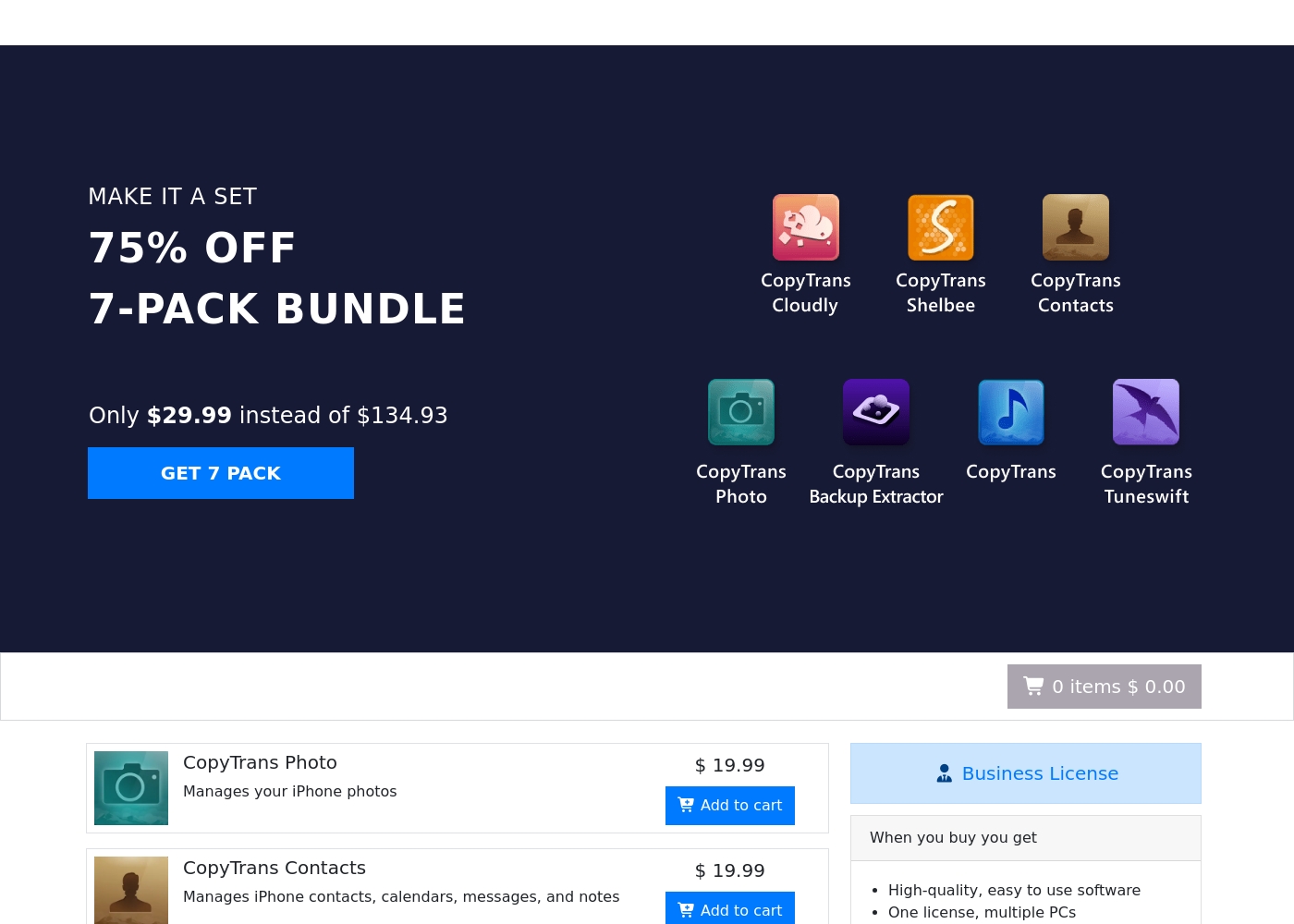
CopyTrans software pricing uses one-time payments for individual tools ranging from $14.99 to $29.99 for a bundle, with 3 main offerings: Individual App Licenses at $19.99 (most common), the 7 Pack Bundle at $29.99, and a Business License (price not explicitly stated).
These prices represent the one-time costs associated with using CopyTrans tools for effectively managing your iOS devices.
Individual App Licenses
Price: $19.99 (One-time payment) Websites Supported: Not explicitly stated Best For: Managing specific iPhone data Refund Policy: 30 days money back guarantee Other Features: Manages specific device needs like photos, contacts, or backups; CopyTrans TuneSwift is $14.99
- One-time purchase
- Focuses on a single device management task (e.g., photos or contacts)
- Instant digital delivery
- 30 days money back guarantee
- 7 separate CopyTrans applications included
- 75% discounte off individual prices ($134.93 value)
- One-time payment
- 30 days money back guarantee
- One license valid for multiple PCs
- High-quality software
- 2 years of regular updates guaranteed
- One-time payment, no hidden fees
Shade costs an undisclosed amount with at least 1 plan: Start for Free at $0.
Finding the right plan depends on your team's specific media storage and workflow needs.
Start for Free
Price: $0 Websites Supported: Not explicitly stated Best For: Individuals or small teams exploring AI search Refund Policy: Not explicitly stated Other Features: Intelligent file streaming, review and approval, automated metadata, AI search, media archiving
- Intelligent file streaming
- Review and approval
- Automated metadata
- AI search
- Archive
Pricing Notes
- CopyTrans pricing is fully transparent with one-time payments starting at $14.99.
- Shade offers a permanent free plan, but team pricing is not public and requires a sales demo.
- CopyTrans's 7 Pack Bundle ($29.99) is a major value for individuals.
- There is no stated refund policy for Shade, unlike CopyTrans's 30-day guarantee.
Pricing Head-to-Head
User Reviews
CopyTrans maintains an excellent 4.3/5.0 rating on Trustpilot, driven by high customer satisfaction. Recurring user feedback highlights the software's exceptional reliability and ease of use, making it a highly effective alternative to restrictive default Apple tools.
Users, many of whom have trusted the product for over a decade, praise its ability to effortlessly transfer music libraries, complete with playlists and artwork, even from very old iPod devices onto new PCs. A major advantage frequently mentioned is the seamless management of photos, particularly the praised HEIC file conversion tool that "just works" and solves a common pain point for Windows users.
I had an issue activating my app purchase, but customer support was excellent. They were quick, courteous, and professional, getting me up and running almost immediately. This program makes interfacing with my iPhone so much easier.
External reviews for Shade show a generally positive sentiment, though the sample size appears small. Users on Capterra highlight the platform's ease of use and its strong AI-powered search functionality, which helps teams quickly find files.
Some reviewers note that the onboarding process was smooth and the customer support was responsive. A few mentions point to the value of the centralized media hub for collaboration.
The AI search is a game-changer. We can locate any footage in seconds without digging through endless folders. It has saved our team so much time on projects.
Our Verdict
For most people, CopyTrans is the clear winner. It solves a common, frustrating problem with simple tools and unbeatable value. CopyTrans's superpower is making iPhone data management on a PC effortless. It reliably transfers photos, music, and backups without iTunes headaches. Shade's superpower is intelligent media collaboration. Its AI search and streaming tools help video teams find and work on files fast. The deciding factor is your need. Choose CopyTrans for personal iOS data control. Choose Shade for team-based media workflows. Final verdict: If you're an individual with an iPhone, get the CopyTrans 7 Pack Bundle. It's a $29.99 no-brainer. If you're a video team drowning in files, book a Shade demo.
Frequently Asked Questions
Which is better for small teams: CopyTrans or Shade?
Choose Shade for media collaboration and shared storage. Choose CopyTrans only if each team member just needs to manage their own iPhone data on a PC.
Does CopyTrans have AI search like Shade?
No. CopyTrans is for transferring and backing up specific files. Shade's AI search is for finding assets within a large, centralized media library.
Is Shade worth the extra cost over CopyTrans?
It's not about cost; they solve different problems. Shade is a team platform for media workflows. CopyTrans is an affordable personal utility.
Can I migrate from CopyTrans to Shade easily?
They aren't directly comparable. CopyTrans moves files to your PC. Shade is cloud storage for media teams. You wouldn't replace one with the other.
Which tool offers a free plan?
Shade offers a 'Start for Free' plan with core features. CopyTrans offers a trial version of its software before purchase.
Does CopyTrans work with cloud storage like Shade?
CopyTrans can back up your iCloud photos and videos to your PC. Shade is a dedicated cloud storage and collaboration platform itself.
Ready to Choose?
Both tools have their strengths. Choose based on your specific needs.