FamiSafe vs Norton Family
FamiSafe and Norton Family both help parents manage their child's digital life. FamiSafe offers intense AI monitoring and advanced physical location tools. Norton Family provides reliable web oversight, time controls, and simplicity. Your choice depends on whether you prioritize features or technical rock-solidity.
Advanced parental controls, reliability needed.
We recognize FamiSafe's exceptionally comprehensive feature set, including AI monitoring and affordable plans that cover up to 40 devices. External feedback raises serious concerns regarding installation frustration, technical glitches, and overall reliability, especially on iOS devices. Overall, we recommend FamiSafe primarily for users who value advanced monitoring features and are comfortable managing potential technical challenges.
Pros
- Flexible subscription tiers covering up to 40 devices ($4.99/mo annual rate).
- Features include AI-powered monitoring for social media, chats, and content safety.
- Robust physical safety tools like real-time location tracking and Geofence alerts.
- Customer support, when reached, is often highly professional and technically focused.
Cons
- Users report significant issues with technical instability and app reliability.
- Setup process can be challenging, leading some users to report system disruption.
- Required iOS features/companion apps sometimes crash frequently upon opening.
- Initial refund procedures may be frustrating, requiring extensive troubleshooting and logs.
Trusted Security Engine for Family Safety
We find Norton Family offers a powerful and mature set of parental control tools, utilizing Norton’s decades of security expertise. It excels at balancing screen time management with web safety and providing crucial location supervision. Overall, this is a highly reliable security package for families seeking broad digital management features within a trusted ecosystem.
Pros
- Built on a robust, proven, and highly reliable security platform.
- Comprehensive features including screen time limits, location tracking, and content filtering.
- Dedicated ‘School Time’ feature helps minimize remote learning distractions.
- Manageable via an easy-to-use Parent Portal and mobile app.
Cons
- Renewal costs are significantly higher than the introductory promotional price.
- Customer loyalty does not appear to be rewarded in the pricing structure.
- General Norton users sometimes report being overwhelmed by notifications.
- Little specific external feedback is available on the dedicated Family product features.
AboutFamiSafe
FamiSafe is a next-generation parental control application designed by Wondershare. It empowers families to establish positive digital habits together. The platform lets you see and guide your child's activities, balancing freedom with necessary protection. It is built for all parents who want reliable tools to manage screens, monitor device activity, and protect loved ones in real life. You’ll receive detailed reports on daily device usage and app activities effortlessly. 💡
AboutNorton Family
Norton Family is a comprehensive toolset designed to give parents awareness and control over their children’s digital interactions. It focuses on facilitating positive and age-appropriate experiences with technology. Parents can manage protection for their child's devices using an easy-to-use Web Portal or a mobile app 📱. The core mission is to help children learn responsible, healthy methods for exploring the internet.
Highlights
Feature Comparison
Features Overview
We highlight the main differences and pick a winner for each feature.
Advanced Content Monitoring
FamiSafe excels in AI scanning chats; Norton Family focuses on search terms only.
FamiSafe uses AI to scan chats on over 14 social media platforms. It looks for specific keywords and alerts against risky content immediately. FamiSafe also detects and alerts parents about explicit pictures on the device. Norton Family primarily handles web filtering and monitors search terms. Norton Family does offer video supervision for YouTube snippets and Hulu viewing. Norton Family gives good visibility but lacks FamiSafe’s depth in chat monitoring. If deep AI surveillance is your goal, FamiSafe is the clear choice here.
Technical Reliability
Norton Family is reliably stable; FamiSafe users report frequent crashes and bugs.
FamiSafe users report significant issues with technical instability and app crashes. The setup process can be frustrating, especially when using companion apps on iOS. Norton Family is widely praised for being simple to set up and navigate. It provides a consistently reliable experience across supported devices. Norton Family is the safer bet if you prioritize ease of use over complex features. Installing FamiSafe requires managing glitches, which can quickly frustrate parents.
Physical Safety Tools
FamiSafe offers driving reports and SOS alerts; Norton Family provides basic GPS tracking.
FamiSafe stands out with advanced features like Driving Reports for new teens. These reports monitor speed, routes, and harsh braking habits. FamiSafe also includes an SOS Alert feature for instant emergency signaling. Norton Family allows Location Supervision with a 30-day history. It uses Favorite Locations for basic geofencing and check-ins. If you have driving teens or need immediate panic alerts, FamiSafe delivers superior physical safety tools.
System Compatibility
FamiSafe supports more platforms including Mac; Norton Family excludes Mac installation.
FamiSafe is widely compatible, working on iOS, Android, Windows, Mac, and Kindle Fire. This broad support makes it suitable for diverse household devices. Norton Family solely focuses on Windows (excluding S mode), Android, and iOS devices. You cannot install Norton Family directly on a Mac device for monitoring. FamiSafe is the winner if your family relies on Apple computers or Amazon tablets.
Screen Time / Focus
Norton Family has dedicated School Time mode; FamiSafe uses scheduled blocking.
Norton Family features a specific 'School Time' mode to manage remote learning environments. This helps limit distractions by controlling which sites are accessible during class. FamiSafe uses traditional time management with daily limits and scheduled blocks. App Rules let you instantly block specific, distracting applications. While both manage time, Norton Family provides a more tailored solution for focused learning. FamiSafe requires more manual scheduling for similar results.
Scaling and Pricing Model
FamiSafe scales affordably up to 40 devices; Norton Family is often bundled and less transparent.
FamiSafe provides excellent value for large households on its Yearly Plan. You can protect up to 40 devices for an effective monthly rate of $4.99. Norton Family is often bundled with Norton 360 Deluxe/Premium security suites. The individual pricing starts low but renewal costs are less clear and potentially high. FamiSafe’s device-based pricing is simple and dramatically cheaper per device at scale. Norton Family focuses pricing on its security ecosystem integration.
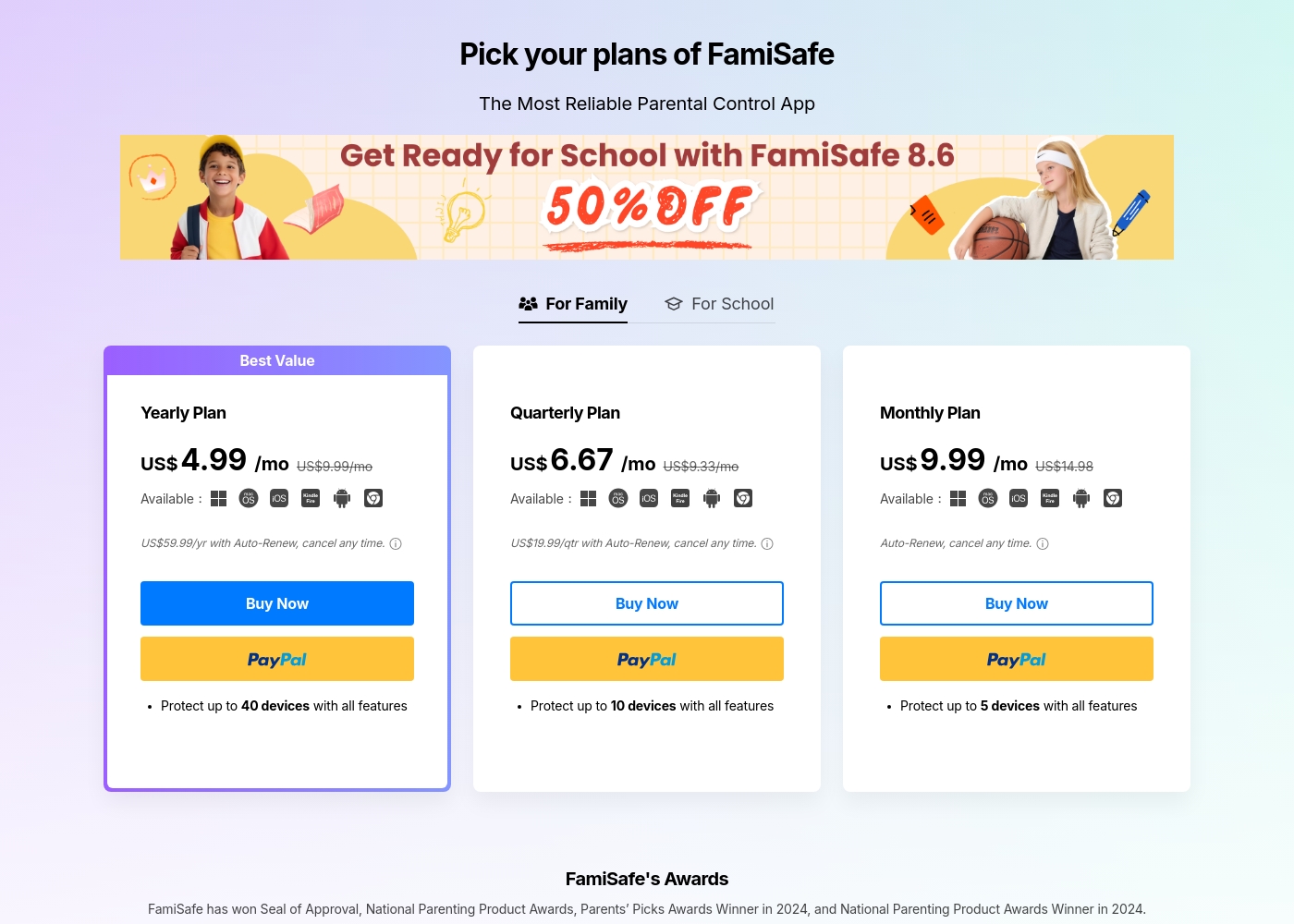
FamiSafe costs between US$4.99 and US$9.99 per month with three main plans: Yearly Plan at US$59.99/year, Quarterly Plan at US$19.99/quarter, and Monthly Plan at US$9.99/month.
FamiSafe provides simple, device-based plans for family monitoring. Here is a closer look at what each subscription offers.
Yearly Plan
Price: US$59.99 per year (effective US$4.99/mo) Websites Supported: Up to 40 devices Best For: Families needing comprehensive, long-term coverage Refund Policy: 7-day money-back guarantee Other Features:
- Includes all premium features
- Auto-Renews, cancel any time
- Protection for the highest number of devices
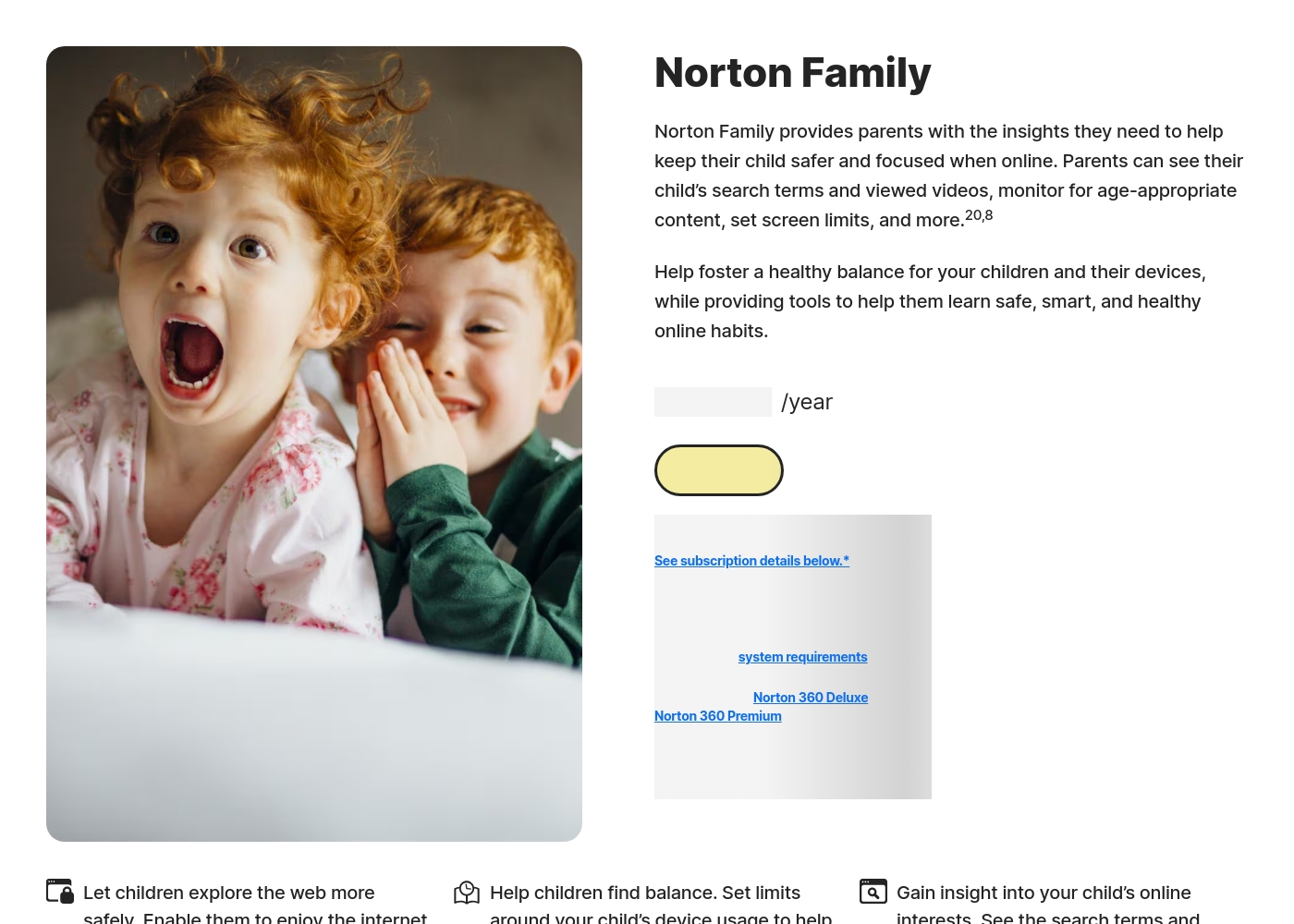
Norton Family costs S$29.99 per year for the first year. It is offered as a single standalone annual subscription at S$29.99.
Norton Family is designed to help parents foster healthy online habits for their children.
Norton Family (1 Year Subscription)
Price: S$29.99 per year (introductory price) Websites Supported: Not explicitly stated Best For: Parents seeking dedicated tools to help children balance screen time Refund Policy: 60-day money-back guarantee (for annual subscriptions) Other Features:
- Set time limits for device use (Time Supervision).
- See terms children are searching for (Search Supervision).
- Monitor videos viewed on YouTube.com (Video Supervision).
- Set up a block list for distracting sites during remote learning (School Time).
- Use Location Supervision to map mobile devices.
- Web Supervision (blocking unsuitable content)
- Time Supervision (setting device limits)
- Search Supervision (seeing terms children search)
- Video Supervision (monitoring YouTube videos)
- App Supervision (managing downloaded apps)
Pricing Notes
- FamiSafe offers a 7-day money-back guarantee on all purchased plans.
- FamiSafe's Yearly Plan protects up to 40 devices, providing the best per-device value.
- Norton Family is often included as a bundle with Norton 360 products.
- Norton Family trials require payment information provided at signup.
- Norton Family renewals may be significantly higher than the initial promotional pricing.
Pricing Head-to-Head
User Reviews
FamiSafe holds a “Poor” 2.5 TrustScore, reflecting significant user frustration despite the company actively replying to 100% of negative feedback. The central issues revolve around technical operation and reliability. Users frequently cite major compatibility problems, including slow download speeds, app crashes—especially with the required “Wondershare Connect” tool for iPhone features—and reports of the application improperly installing or “ruining” device setup. The process to secure a refund can also be bureaucratic initially; customers sometimes had to “jump through hoops” by providing log files before the engineering team was convinced the product failed.
Conversely, nearly all positive feedback is centered on specific customer support agents, who are often described as outstanding, patient, fast, and technically competent (e.g., Mojoe, John, Angelo C). When a user successfully contacts a live agent, the problem is frequently resolved quickly or a full refund is processed, even covering taxes and VAT requested by European users. Overall, while the individual support experience is high-quality, the underlying product stability and the initial difficulty getting help contribute to the low external rating. 🤔
Mojoe was outstanding. He was technically competent, patient, and analytical, taking the time to walk me through every step. However, getting to a live person took too long, and I waited 30 minutes after being told it would be 13.
Reviewers overwhelmingly praise Norton’s broader security ecosystem, which includes Norton Family. Customers consistently highlight the robust protection provided, confirming that the software ensures their devices are safe from threats and malware.
Consumers often mention the peace of mind they gain from the software operating efficiently in the background, offering prompt alerts and regular scans. The user experience is generally considered easy, even for non-tech-savvy users, and the comprehensive bundles (including VPN and Identity Theft services) are highly valued.
I have been using Norton since its very beginning and have never had protection issues. I have examined others and there is simply no comparison to Norton's performance and protection.
Our Verdict
Choosing between FamiSafe and Norton Family is a clear trade-off: features versus reliability. If you need the absolute maximum features, navigate towards FamiSafe. If you need a tool that simply works and won't crash regularly, pick Norton Family. FamiSafe's superpower is its deep, modern surveillance capabilities. It monitors private chats on 14+ social platforms using advanced AI. FamiSafe is also the definitive choice for physical monitoring and teen driving safety reports. It supports up to 40 devices, perfect for very large connected families. Norton Family shines due to its unmatched stability and approachable design. Its simple reports and dedicated School Time feature make managing focus easy. Parents love that Norton Family integrates seamlessly if they already use Norton security products. It guarantees consistent, reliable performance where FamiSafe often struggles. If technical frustration is your biggest fear, choose Norton Family for peace of mind. However, if your child is on many social platforms and you need driving oversight, FamiSafe has the tools. FamiSafe offers superior features; Norton Family offers superior user experience and stability.
Frequently Asked Questions
Which software is better for deep social media chat monitoring?
FamiSafe is far superior for chat monitoring using AI detection. It scans 14+ social platforms and checks for customized keywords and explicit images. Norton Family focuses mainly on monitoring searches and web activity history.
Is Norton Family more reliable than FamiSafe?
Yes, Norton Family has significantly better user reviews regarding technical reliability and setup. FamiSafe often faces user complaints about app instability and crashing, especially on iOS devices.
Does FamiSafe or Norton Family support Mac computers?
FamiSafe is compatible with Mac for installation and monitoring features. Norton Family only supports monitoring installs on Windows, Android, and iOS devices. FamiSafe is necessary for Mac users.
Which tool offers better value for families with many devices?
FamiSafe wins here by covering up to 40 devices on its annual plan. This large capacity makes FamiSafe drastically cheaper per device. Norton Family's capacity is geared toward standard family sizes.
Does either FamiSafe or Norton Family include a driving safety feature?
FamiSafe includes specialized Driving Reports for monitoring speeds and habits. The tool helps coach new teen drivers about their on-road safety. Norton Family does not offer any dedicated driving supervision features.
Which software includes a dedicated feature for remote learning?
Norton Family provides a dedicated 'School Time' feature to minimize distractions during class. FamiSafe requires setting manual schedules and using general app blocking controls.
Ready to Choose?
Both tools have their strengths. Choose based on your specific needs.